
Secure SuiteCRM Role-Based Access Control
Revenue Engine AI is built for enterprise-grade security, ensuring that sensitive sales data is only visible to the right people. By implementing a high-fidelity “Zoom” architecture — moving from Company to Team to Rep — the system maintains strict data boundaries. This document explains how the application uses server-side enforcement to protect your CRM data while providing actionable insights across every level of the organisation.
How Server-Side Role-Based Access Control Works
Unlike basic dashboard tools that filter data in the browser, Revenue Engine AI employs a 3-tier server-side enforcement model. Data security is handled at the PHP data bridge level before it ever reaches the user’s screen.
1. PHP-Level Data Filtering
The application uses a secure data bridge (DashboardData.php) that queries your SuiteCRM database. Security is not a “mask” applied to the UI — the PHP script explicitly checks the active SuiteCRM user session and their assigned permissions before returning any data. A regular representative cannot manipulate browser state or URL parameters to view another user’s data, because the server simply will not provide it.
2. Native SuiteCRM Integration
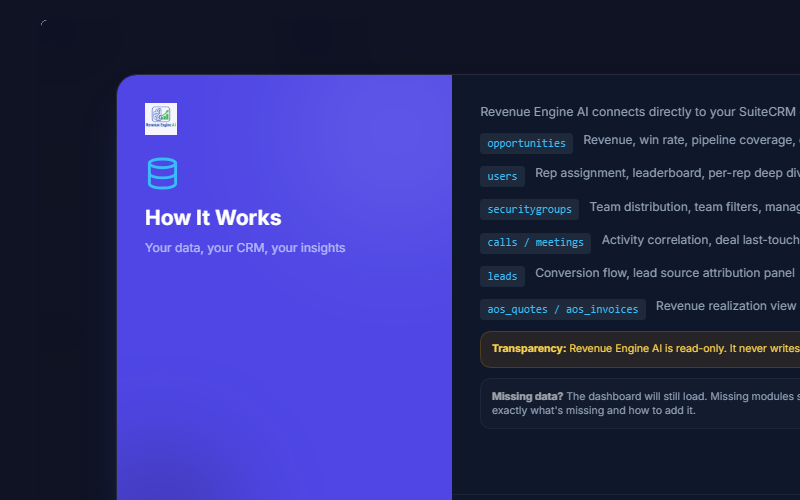
The system is “passive-safe” — it installs without making any schema changes to your database. It respects your existing SuiteCRM architecture by:
- Session Validation: Requiring an active SuiteCRM user session to access any API endpoints. Requests without a valid session return HTTP 401.
- CORS Hardening: Restricting headers to secure origins to prevent unauthorised external access.
- Security Group Mapping: Using your native SecurityGroups module to define team boundaries.
- Admin-Only Endpoints: Administrative functions (such as saving a license key) return HTTP 403 for non-admin users.
3. Technical Architecture for RBAC
| Feature | Implementation Detail |
|---|---|
| Enforcement Location | Server-side (PHP Data Bridge) |
| User Identification | window.__REAI_USER context injected by PHP |
| Logic Guards | isSecurityGroupAdmin(), getUserSecurityGroupIds() |
| Data Access | Read-only — never writes to or modifies CRM data |
| XSS Protection | All PHP output escaped via htmlspecialchars() |
Admin vs Manager vs Representative Views
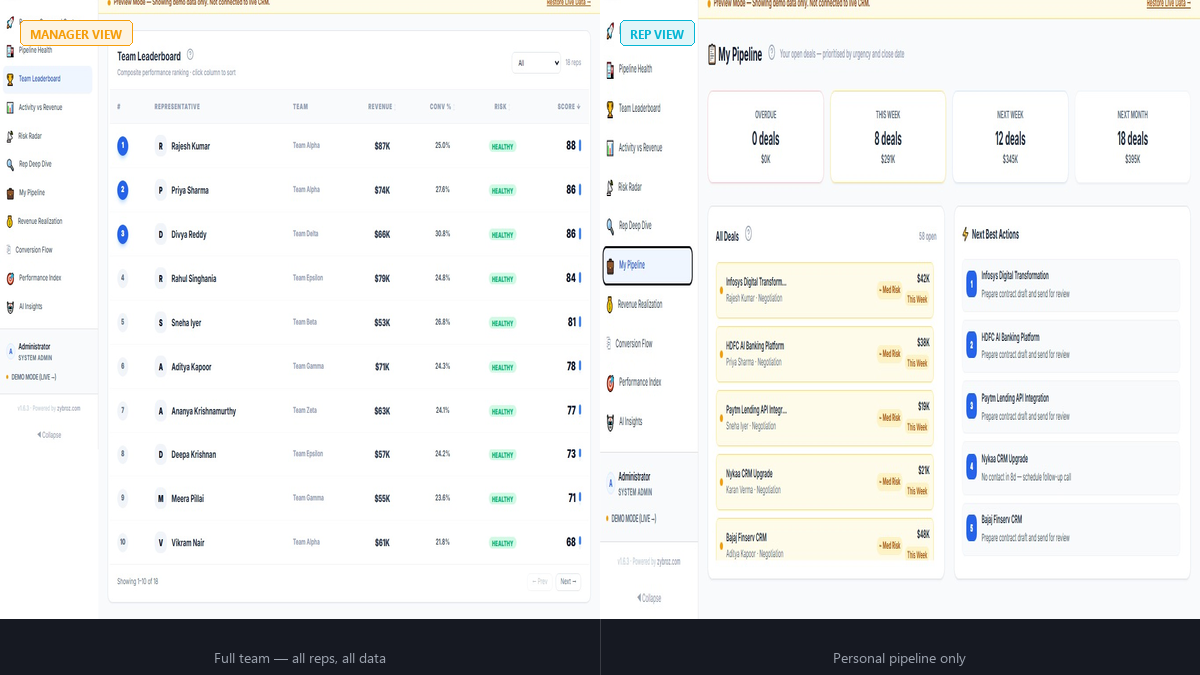
Revenue Engine AI automatically scopes the dashboard view based on the user’s SuiteCRM role. Executives see the big picture; reps stay focused on their personal targets.
SuiteCRM Admin — Executive View
Administrators have a “God View” of the organisation. They can see all representatives across all teams, enabling comprehensive company health checks.
- Visible Data: Full org forecast, all teams in the Leaderboard, complete Revenue Command Center
- Key Action: Monitor total pipeline vs quarterly targets across the entire sales force
- Configuration Access: Only Admins can access the Administration Panel to configure system-wide settings, AI keys, Role Permissions, and licensing
Security Group Admin — Manager View
Managers (users marked as is_admin=1 in the SecurityGroups module) are restricted to their specific groups.
- Visible Data: Only the representatives and deals within their assigned Security Groups
- Key Action: Use the Team Leaderboard and Risk Radar to identify which direct reports have stalled deals or low activity
- Team Switcher: Can navigate between individual reps in their team using the Rep Deep Dive dropdown
Regular Representative — Personal View
For sales reps, the dashboard acts as a daily prioritisation tool.
- Visible Data: Only their own data — they cannot view peer performance or other teams
- Key Action: Use the My Pipeline view for risk-sorted deals (Red = overdue, Amber = this week, Yellow = next week)
- Outcome: Eliminates “which deal should I call today?” paralysis with automated next-action suggestions
Configuring Team Mapping and Visibility
Administrators define how Revenue Engine AI interprets the organisational structure. This ensures the Team Distribution and Leaderboard views align with your business logic.
Team Mapping Options
Navigate to Settings → Team Mapping to choose one of three methods:
- Security Groups (Recommended): Uses the native SuiteCRM SecurityGroups module. Best if your CRM already uses Security Groups to organise users.
- Department Field: Groups users based on the “Department” field on their user profiles. Use when Security Groups are not in use.
- ACL Role: Groups users by their assigned ACL Role — ideal if roles map directly to teams (e.g., “SMB Sales” vs “Enterprise Sales”).
Data Source Toggles
To improve performance and maintain focus, admins can toggle specific data modules in Settings → Data Sources:
- Activity Data (Calls / Meetings / Tasks): Powers last-touch tracking, activity scores, and staleness signals. Disable if your team logs activity in an external system to avoid skewed Performance Index scores.
- Leads Module: Powers lead source attribution and the Conversion Flow funnel. Disable if your organisation does not use the Leads module in SuiteCRM.
Privacy and AI Security (BYOK)
Revenue Engine AI prioritises data privacy, especially regarding AI-generated insights. The “Bring Your Own Key” (BYOK) model ensures:
- Local Storage: Your API keys (Gemini, OpenAI, or Anthropic) are stored only in your browser’s localStorage — never on the server or in the CRM database.
- No Zybroz Middlemen: Keys are never sent to Zybroz servers under any circumstances.
- Encrypted Transmission: The API call to the AI provider is made directly from your browser using your key. Your CRM data is never stored on a third-party intelligence server beyond the immediate analysis request.
Action Trigger: Ensure your quarterly revenue target is set in Settings → System Configuration. Without it, the RBAC engine defaults to a placeholder target, which will skew attainment percentages for all roles.
Revenue Engine AI v1.7.2 · Built by Zybroz · support@zybroz.com