
Your top-performing rep has a Discipline Score of 78. That’s solid – Standard range, no red flags on the dashboard tile. But for the last three weeks, they’ve been logging fewer calls each week. A little fewer each time. The score looks fine because scores are historical – they capture what a rep has done over the measurement window, not whether that output is trending up or down. The pipeline is quietly dying while the dashboard shows green. This is exactly the gap that sales burnout detection SuiteCRM tools need to close, and it’s what the TeamPulse Momentum Tracker is built for.
Score and momentum are different measurements. Understanding that difference is what separates reactive management from early intervention.
Score vs. Momentum – Why They’re Not the Same
The Discipline Score is a weighted average of behavioral factors over a defined window – 1 week, 2 weeks, or 1 month. It tells you how a rep has performed in aggregate across that period. If a rep was highly active for the first three weeks of the month and then went quiet in week four, their monthly Discipline Score might still read 72 – firmly in Standard range.
Momentum is velocity. It measures whether activity output is increasing or decreasing week-over-week within the last 14 days. The same rep with a 72 score could show Declining momentum – because momentum sees the direction of travel, not just where the rep currently stands.
These two measurements are complementary. A high score with Declining momentum is a specific risk pattern: a rep who has historically been strong but is currently pulling back. That’s a very different management situation than a low score with Stable momentum – a rep who is consistently underperforming but at least doing so predictably.
The 3 Momentum States
TeamPulse classifies each rep into one of three momentum states based on week-over-week activity volume change within the trailing 14-day window.
Growing ?
Activity volume is up more than 10% week-over-week. The rep is accelerating – logging more calls, completing more tasks, maintaining or increasing their daily cadence. This is the state you want to reinforce: acknowledge it publicly, use it as a benchmark in team reviews, and understand what’s driving it so you can replicate it.
Stable ?
Activity volume is consistent, with no major deviation in either direction. The rep is maintaining a steady rhythm. Stable is not a problem state – consistent execution is the foundation of repeatable results. Most well-managed reps spend most of their time in Stable.
Declining ?
Activity volume is down more than 20% week-over-week. This is the early warning state. The rep is pulling back – fewer calls, fewer tasks completed, growing gaps in daily cadence. At this threshold, the decline is significant enough to be a pattern, not noise. It warrants immediate attention.
The 3-Consecutive-Drops Rule – When a Signal Fires
TeamPulse distinguishes between a Declining momentum state and a Momentum Signal. A rep enters the Declining state when their week-over-week activity drops more than 20%. A Momentum Signal fires when a rep records three or more consecutive score drops.
The 3-consecutive-drops threshold exists to separate a bad week from a structural problem. Everyone has an off week. Travel, a personal issue, a difficult deal that consumed more time than usual – any of these can cause a single-week dip. Three consecutive drops indicate a sustained trajectory, not a one-time deviation.
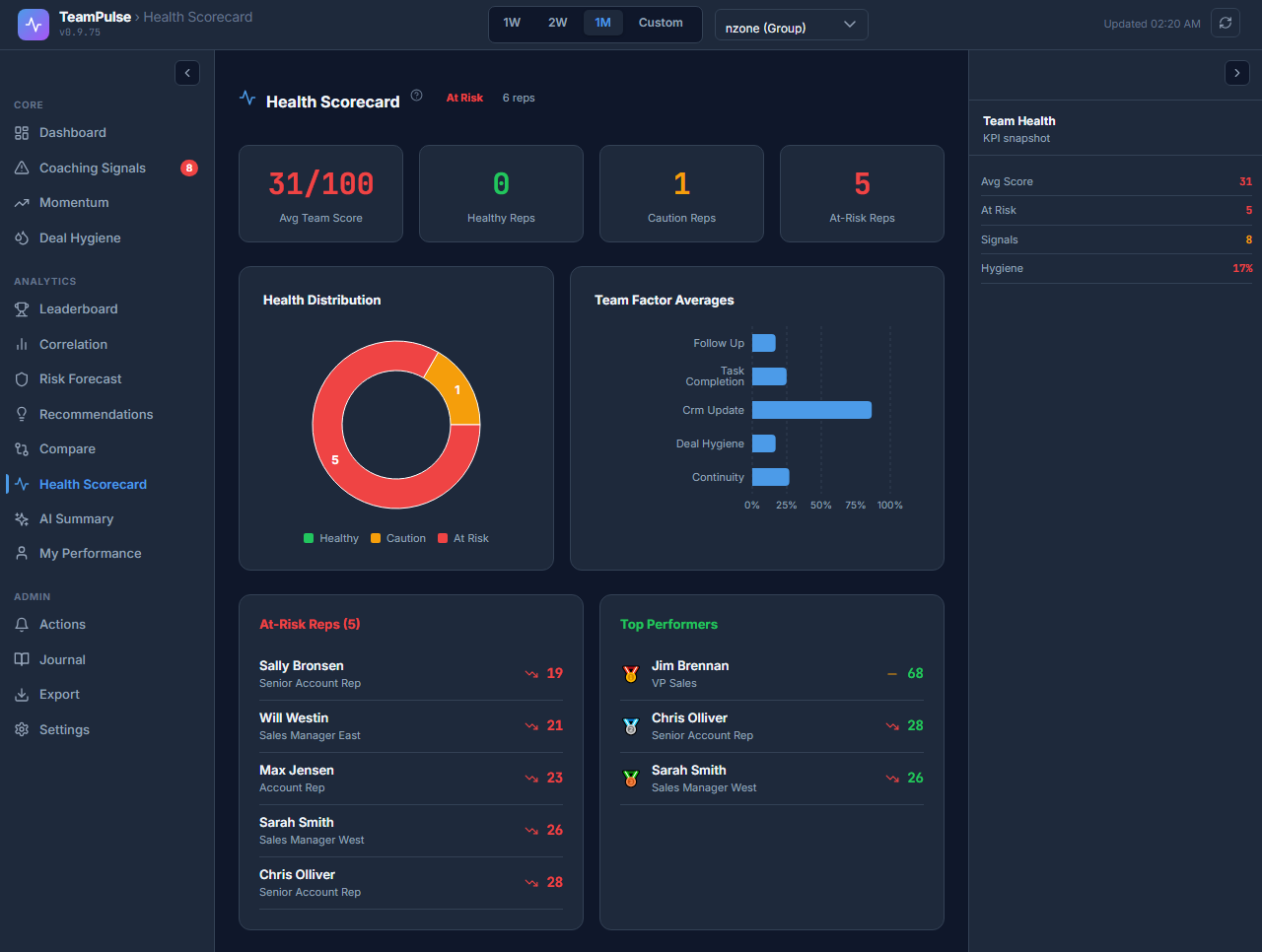
Critically, a Momentum Signal can fire for a high-scoring rep. A rep with a Discipline Score of 78 who has dropped for three consecutive weeks will show a Momentum Signal even though their score is in Standard range. This is the exact scenario that standard dashboard views miss – the score looks fine, but the direction of travel is wrong.
Momentum Signals are separate from Coaching Signals. A Coaching Signal is triggered by a factor sub-score dropping below a threshold. A Momentum Signal is triggered by velocity – the rate of change – regardless of current score level.
Reading the Trend Table
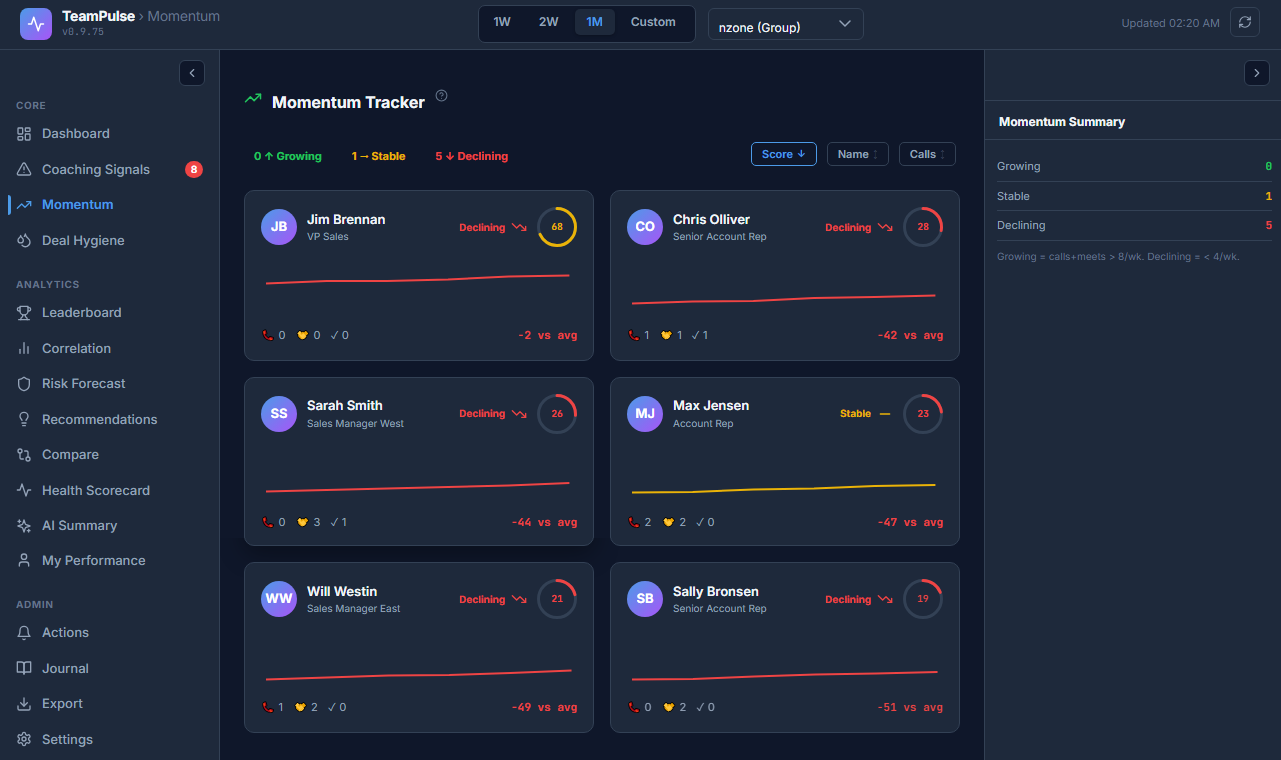
The Momentum Tracker view shows a per-rep trend table with the following information:
- Rep name and current Discipline Score – so you can cross-reference momentum state with overall score
- Momentum state indicator – Growing ?, Stable ?, or Declining ?
- Week-over-week delta – the percentage change in activity volume versus the prior week
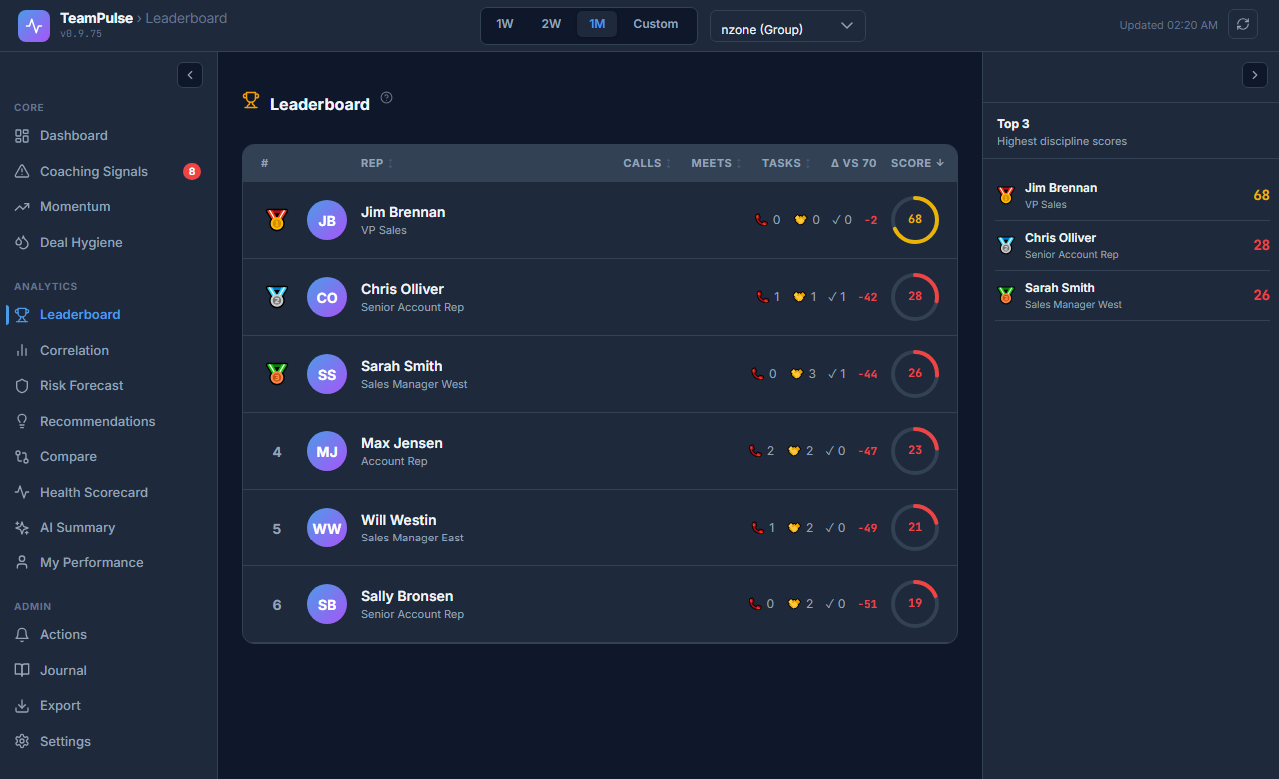
- Benchmark delta – the rep’s position relative to the 70-point standard benchmark
- Sparkline card – a small activity trend line showing the last 14 days at a glance
The table is sortable by momentum state, score, or delta – which means you can instantly surface all Declining reps, ranked by how steep their drop is, without scrolling through the full team list.
The Team Trend Line
In addition to per-rep data, the Momentum Tracker shows a team-level trend line – the aggregate activity trajectory across all reps in the current view.
A rising team trend line means the team as a whole is accelerating. A falling team trend line is a different problem than individual burnout – it suggests a systemic issue. Possible causes include a recent process change, a difficult market period, or a team-wide morale problem. When the team trend line falls while individual rep scores remain stable, the cause is usually external.
When individual reps are Declining while the team trend line is rising, you have an individual burnout situation – specific reps pulling back while the rest of the team maintains momentum. Those are the reps to prioritize.
How to Intervene – Declining Reps
When a rep enters Declining momentum or triggers a Momentum Signal, the intervention sequence is straightforward:
- Check for CRM inactivity streaks: Open the rep’s Member Drill view and look at the Activity Continuity factor. Multi-day gaps in the streak chart are the behavioral signature of burnout – the rep isn’t just doing less, they’re going silent for stretches.
- Review the last 14 days of activity type: Is the decline across all activity types, or concentrated in one? A rep whose calls are falling but whose task completion is stable is showing a different pattern than a rep whose everything is dropping.
- Schedule a 1:1 pulse check – not a performance review: The goal at this stage is to understand what’s happening, not to issue a warning. Burnout responses to pressure-based management are predictable and counterproductive. A short, focused check-in with the explicit framing “I’m seeing your activity velocity drop and wanted to check in” is more effective than a formal performance conversation.
- Set a 2-week follow-up marker: After the pulse check, monitor whether the trend reverses. A rep who was having an off week will show a recovery. A rep with a structural problem will continue declining.
How to Intervene – Growing Reps
Growing momentum deserves explicit acknowledgment. A rep who has been accelerating for two consecutive weeks is doing something right – and if you don’t name it, you miss the opportunity to reinforce it and spread the behavior to the rest of the team.
Use the Momentum Tracker to identify Growing reps before your weekly team meeting. Call out the momentum increase specifically: not just “great work this week” but “your activity volume is up 15% week-over-week – what’s driving that?” The answer often reveals a specific practice or approach that the whole team can adopt.
What Momentum Does Not Measure
Momentum is a purely behavioral velocity metric. It does not measure:
- Revenue or quota attainment – a rep can be Growing in momentum and having a bad month for closed revenue
- Deal quality – high activity volume does not guarantee high-quality interactions
- Closed deals – a rep who closed three deals and is now in a natural post-close lull will show Declining momentum even though their performance was strong
- Pipeline value – momentum tracks behavioral input, not pipeline output
This is intentional. Momentum measures whether a rep is maintaining the behavioral inputs that produce results – not whether those results have arrived yet. Revenue is a lagging indicator. Momentum is a leading one.
FAQ: Why Does a Rep Have a High Score but Declining Momentum?
Q: One of my reps has a Discipline Score of 82 – that’s Strong range. But the Momentum Tracker is showing them as Declining. Which one should I trust?
A: Trust both – they’re telling you different things. The score of 82 reflects aggregate behavioral performance over the measurement window. That’s real. The rep has been performing well overall.
The Declining momentum state tells you the last two weeks have shown a week-over-week activity drop of more than 20%. The score hasn’t caught up yet because scores are weighted averages – the strong earlier weeks are still pulling the number up. But if the decline continues, the score will follow.
This is the specific pattern the Momentum Tracker is designed to catch: the high scorer who is beginning to pull back before the score reflects it. Acting on the momentum signal now – with a check-in, not a warning – is how you prevent the score from dropping into Needs Coaching range two or three weeks from now.
Q: A rep went on PTO for a week and now shows Declining. Is this a false positive?
A: It can be. A single week of PTO will show as a sharp activity drop. The 3-consecutive-drops rule is specifically designed to filter out single-week anomalies – PTO, a company event, a travel week. If a rep returns from PTO and resumes their normal cadence, their momentum will recover within two weeks and no Momentum Signal will fire.
If a Momentum Signal fires after PTO – meaning the rep hasn’t fully resumed normal cadence even after returning – that’s worth a conversation.
Q: How often does the Momentum Tracker update?
A: The dashboard refreshes automatically every 5 minutes. The underlying scoring and cache data is refreshed by a cron job that runs every 30 minutes. For most management purposes, the data you’re seeing is within a 30-minute lag of current SuiteCRM activity.
Connect Momentum to Your Coaching Workflow
The Momentum Tracker identifies the velocity pattern. The next step is translating it into a structured coaching action. TeamPulse’s Coaching Journal lets you log observations directly from the Momentum Tracker view – noting a Declining rep, the date, and the planned intervention – so that the pattern is tracked over time and not lost between 1:1s.
Read the Coaching Journal guide to see how to build momentum observations into a repeatable coaching cadence.
Install TeamPulse on SuiteCRM and see your team’s momentum distribution within minutes of setup. Catch the pullback before it becomes a pipeline problem.