
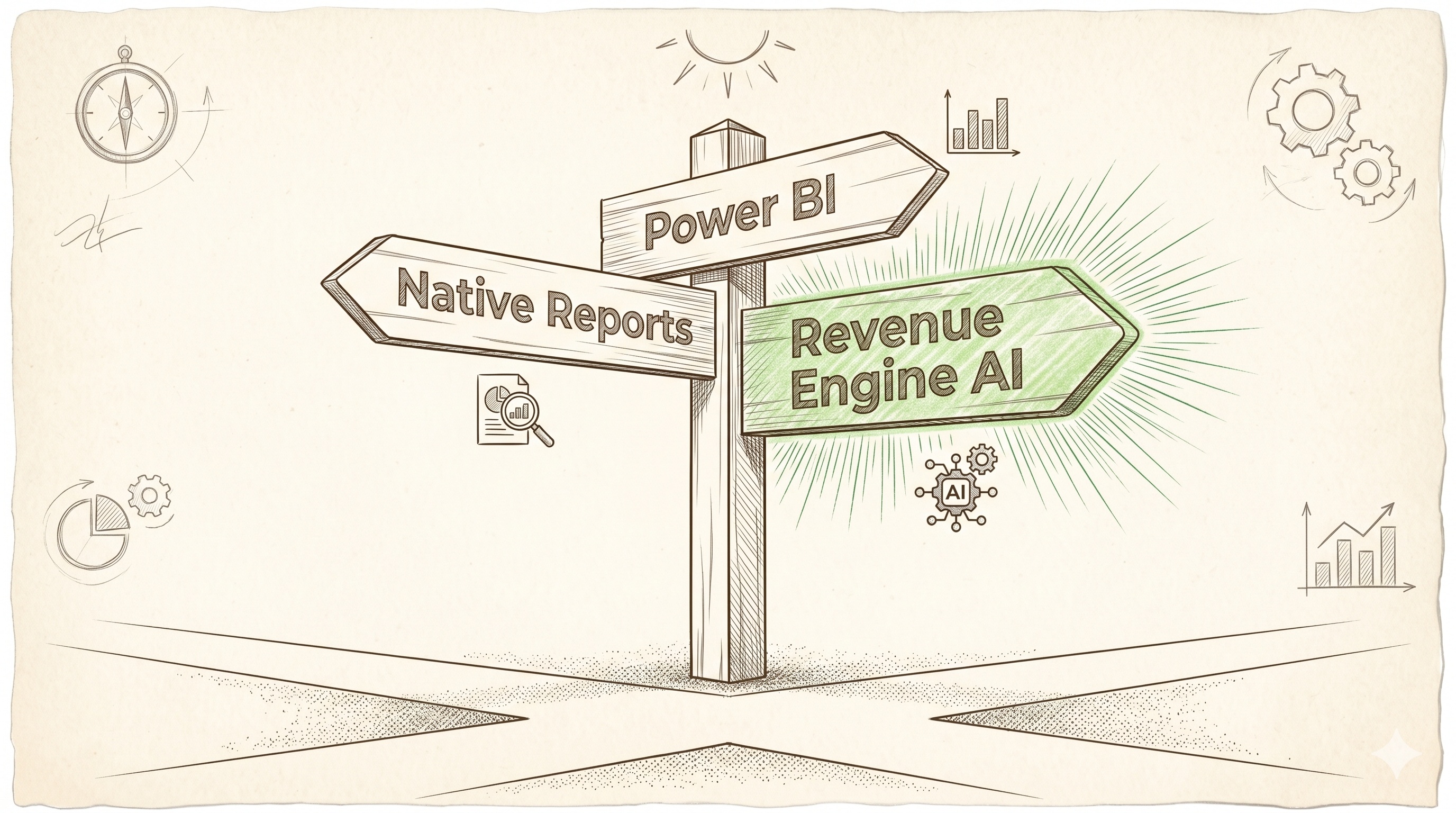
Your sales team is running on SuiteCRM, and leadership wants a proper pipeline dashboard for the quarterly business review. So you start exploring your options. You quickly discover that “CRM analytics” means very different things depending on who you ask — and the cost, complexity, and capability of each approach varies dramatically.
This guide cuts through the noise. Here is an honest comparison of the four realistic options for SuiteCRM pipeline analytics, and where each one makes sense.
The Four Options for SuiteCRM Pipeline Analytics
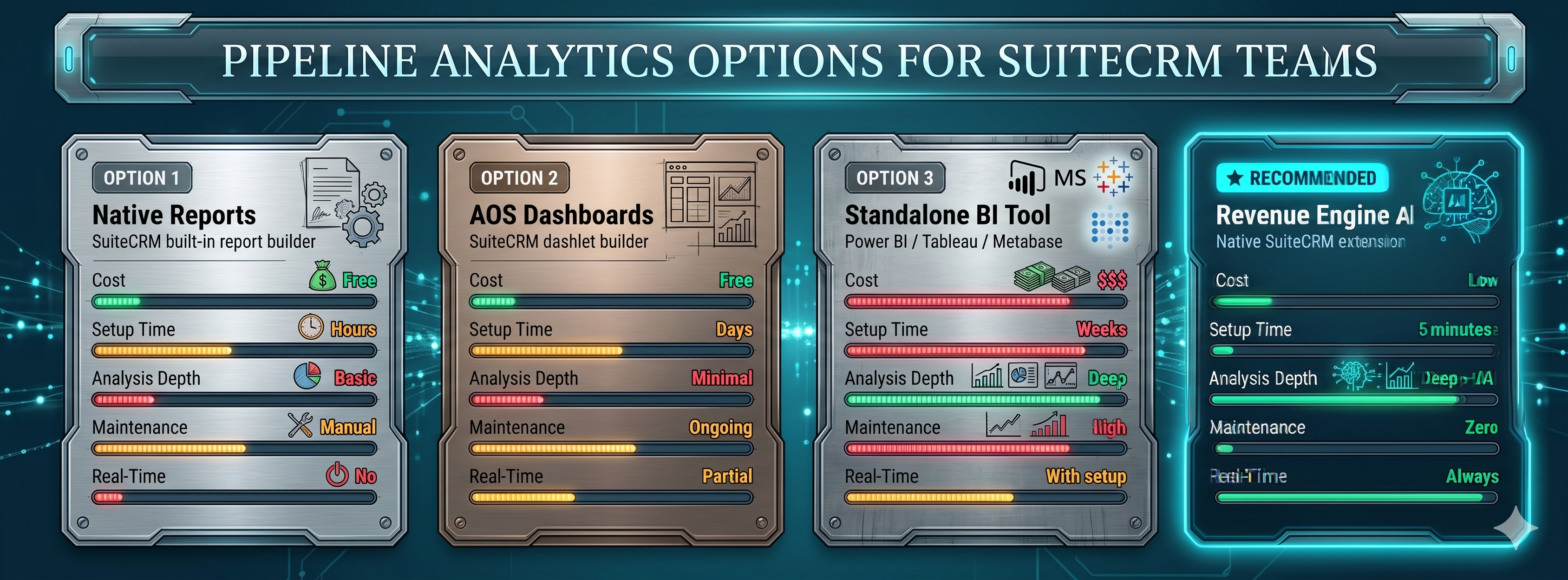
When SuiteCRM users need better pipeline visibility, they typically land on one of four approaches:
- SuiteCRM Native Reports — the built-in reporting module, included with every installation
- SuiteCRM AOS Dashboards — the drag-and-drop dashboard builder built into SuiteCRM
- External BI Tools — Power BI, Tableau, Google Looker Studio connected to the CRM database
- Native Extensions — purpose-built plugins that install directly into SuiteCRM
Let’s walk through each option honestly — including the tradeoffs that vendor marketing materials tend to skip.
Option 1: SuiteCRM Native Reports
SuiteCRM ships with a built-in Reports module that lets you build custom queries against your CRM data. For teams with strong CRM administrators, this is a capable starting point.
What It Does Well
- Custom field support: If your CRM uses custom fields extensively, native reports can query them directly — something external tools may struggle with without custom connectors
- No additional cost: Reports are included in SuiteCRM at no extra charge
- Familiar interface: CRM admins who know SuiteCRM can build reports without additional training
Where It Falls Short
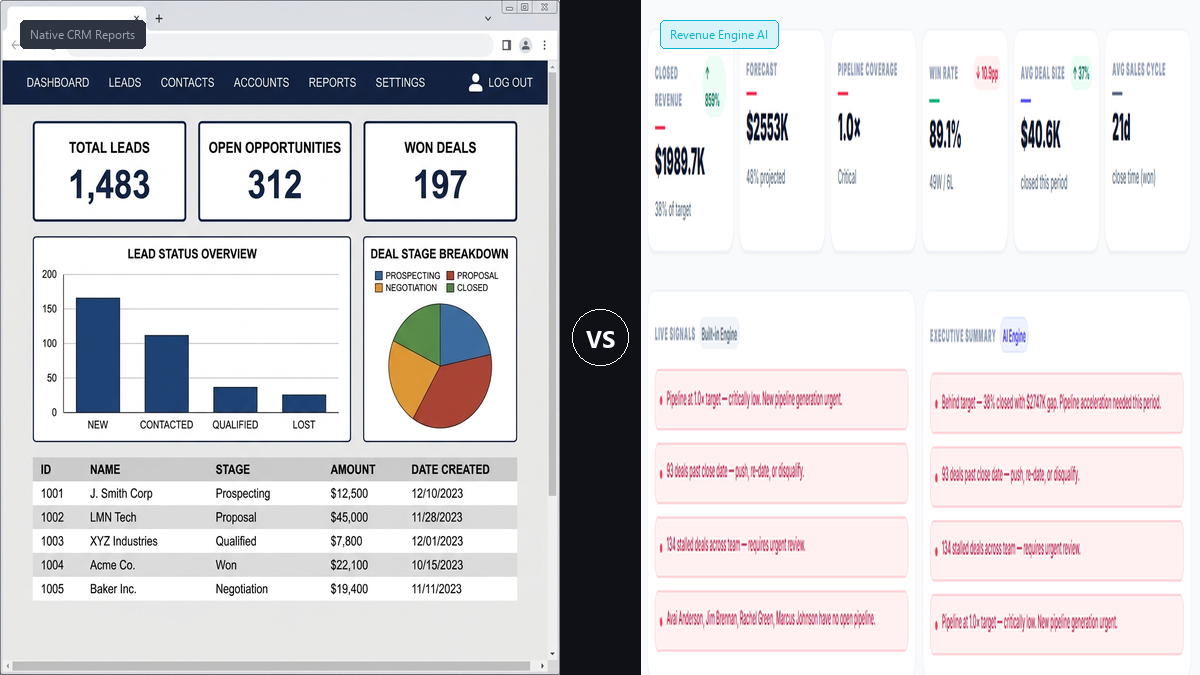
- No real-time executive view: Native reports are static snapshots. They do not update automatically and must be re-run manually for each review
- No AI or intelligence layer: The reporting module shows you what happened. It does not tell you what it means, which deals are at risk, or what your team should do next
- Configuration overhead: Building a multi-view pipeline dashboard from native reports takes hours of configuration — and then must be rebuilt whenever the sales process changes
- No drill-down hierarchy: Going from org-level view to team to rep to deal is not possible in a single native report
Best for: CRM admins who need ad-hoc custom queries. Not suitable as a primary management dashboard for sales leaders.
Option 2: SuiteCRM AOS Dashboards
SuiteCRM’s AOS (Advanced OpenSales) module includes a drag-and-drop dashboard builder. You can embed native reports as dashlets and arrange them on a home screen.
What It Does Well
- Allows for some visual layout customisation without code
- Can surface report data on the SuiteCRM home page
Where It Falls Short
- Still depends on native reports as the data source — so it inherits all the limitations above
- No composite scoring, deal risk analysis, or AI capabilities
- Dashlets are not interconnected — filters applied in one dashlet do not cascade to others
- Visual options are limited (basic charts, lists, and report embeds)
Best for: Lightweight home-page customisation for individual users. Not a replacement for a management dashboard.
Option 3: External BI Tools (Power BI, Tableau, Looker Studio)
This is the approach that gets recommended most often in enterprise conversations. Connect your SuiteCRM MySQL database to a BI tool, build your pipeline views, and give leadership a “proper” dashboard.
What It Does Well
- Ultimate flexibility: If you can write the SQL query, you can build the view — any combination of fields, any visual format
- Cross-system reporting: BI tools can combine SuiteCRM data with ERP, finance, or marketing data in a single report
- Advanced visualisation: Heatmaps, geographic maps, complex composite charts
Where It Falls Short
- Weeks to months of setup: Connecting to a live SuiteCRM MySQL database, modelling the data correctly, building the views, and testing for accuracy is a project — not a weekend task. Most implementations take 4–12 weeks
- Dedicated analyst required: Someone needs to own the data model, maintain it as the CRM evolves, and debug it when numbers don’t match. That person needs to understand both SuiteCRM’s data schema and the BI tool
- Per-user licensing costs: Power BI Pro runs approximately £8–£10 per user per month. Tableau starts at significantly higher rates. For a team of 20, you are looking at £1,920–£2,400/year before any implementation costs
- No SuiteCRM-native intelligence: External BI tools show data. They do not surface deal risk signals, rep coaching flags, or forecast accuracy tracking in the way a purpose-built sales intelligence tool does
- Security complexity: Exposing the CRM database to an external tool requires careful network configuration, credential management, and security review
Best for: Enterprise organisations with a dedicated RevOps or BI analyst, multi-system reporting requirements, and the budget and timeline for a proper implementation project.
Option 4: Revenue Engine AI — The Native Extension Approach
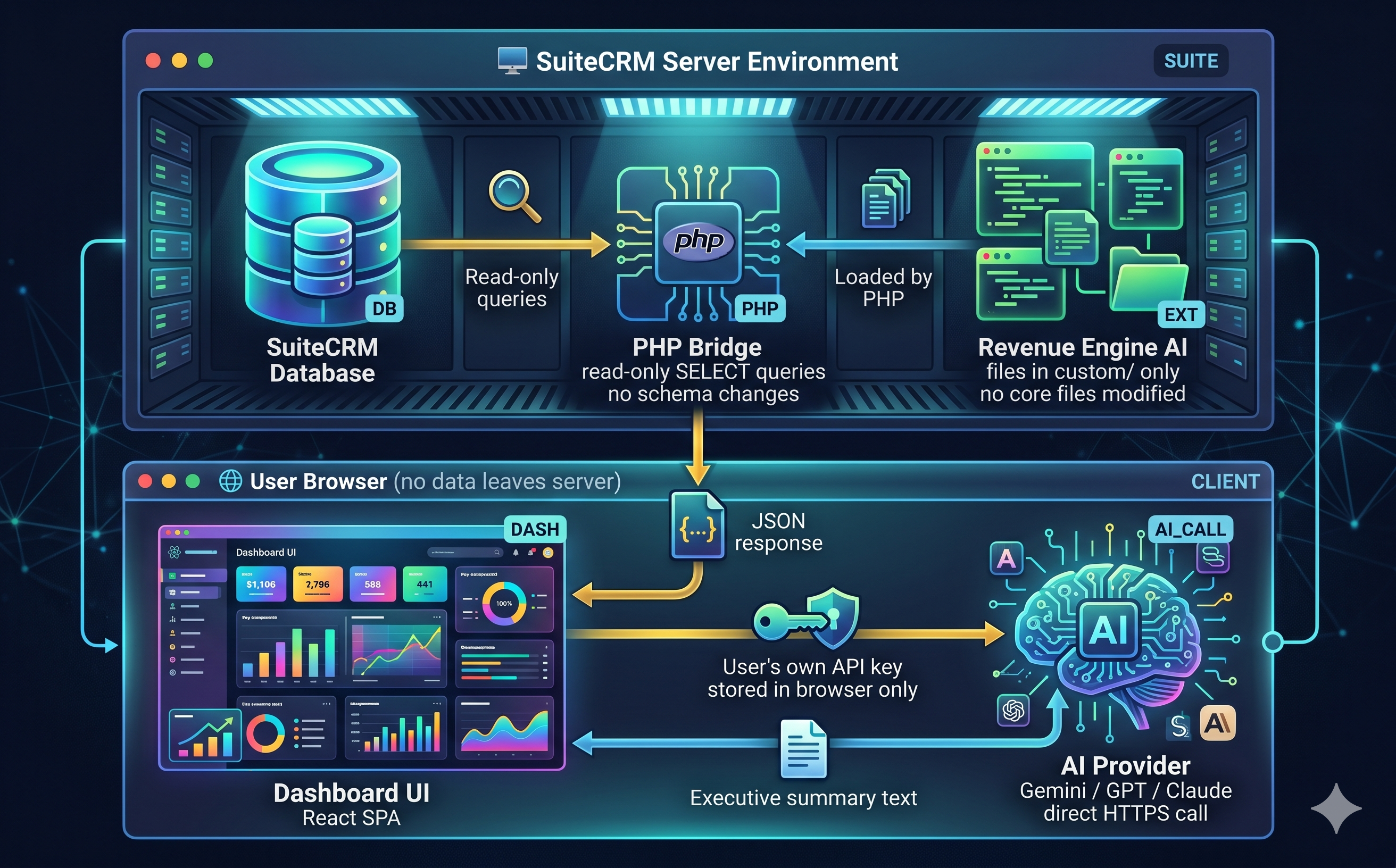
Revenue Engine AI takes a fundamentally different approach. Rather than connecting an external tool to your CRM data, it installs inside SuiteCRM as a native extension — via the standard Module Loader — and serves a purpose-built analytics dashboard from within your CRM environment.
What It Does That the Others Don’t
13 pre-built executive views, zero configuration: From the moment of installation, you have a complete dashboard covering revenue command center, pipeline health, team leaderboard, risk radar, rep deep dive, my pipeline, revenue realization, conversion flow, performance index, account intelligence, and forecast accuracy tracking — all pre-wired to your SuiteCRM data.
AI insights with no enterprise contract: The Built-in Intelligence Engine provides rule-based pipeline signals, deal risk scoring (0–100), rep coaching flags, and executive narratives — all without any API key. For richer, LLM-powered insights, Revenue Engine AI supports a “Bring Your Own Key” (BYOK) model: connect your own Google Gemini (free), OpenAI, or Anthropic API key and get executive-grade AI summaries in under 10 seconds.
Lead-to-cash visibility in one click: The Revenue Realization funnel shows the conversion from Quotes to Orders to Invoices to Collected cash — with leakage identified at each step. No BI model to build, no data to connect.
Server-side role-based access: Revenue Engine AI enforces a 3-tier visibility model (Admin / Manager / Rep) at the PHP data bridge level — not in the browser. A rep cannot see another rep’s data by manipulating the URL.
The Tradeoffs
- Compatible with SuiteCRM 7.x only (7.12, 7.14, 7.15) — SuiteCRM 8.x support is on the roadmap
- Views are pre-built for sales pipeline intelligence — not a general-purpose BI tool for cross-system reporting
- Custom fields require PHP-level configuration (not GUI-based like native reports)
Side-by-Side Comparison
| Criteria | Native Reports | AOS Dashboards | Power BI / Tableau | Revenue Engine AI |
|---|---|---|---|---|
| Setup time | Hours per report | Hours per dashlet | 4–12 weeks | 5 minutes |
| Pre-built pipeline views | None | None | None (build your own) | 13 views included |
| AI / intelligence layer | None | None | None (without additional AI integration) | Built-in + BYOK AI |
| Deal risk scoring | No | No | No | Yes (0–100) |
| Role-based data visibility | Basic | Basic | Configurable (complex) | 3-tier server-side enforcement |
| Database schema changes | None | None | None (read-only) | None (passive-safe) |
| Annual cost (10-user team) | Free | Free | £960–£2,400+ (per-user license) | Flat annual rate |
| Dedicated analyst required | Yes (part-time) | Yes (part-time) | Yes (full-time) | No |
Which Option Is Right for Your Team?
The honest answer depends on your situation:
- Choose Native Reports if you need a one-off custom query for a specific field combination and have a CRM admin to build it
- Choose AOS Dashboards if you want a lightweight home-page summary for individual users and your needs are simple
- Choose a BI Tool if you need to combine SuiteCRM data with other systems (ERP, finance, marketing), have a dedicated analyst, and can commit to a multi-week implementation project
- Choose Revenue Engine AI if you want a complete sales intelligence dashboard running inside SuiteCRM within 5 minutes, with AI-powered insights, deal risk scoring, and executive reporting — without the BI project or the per-user licensing costs
Try It in Your CRM
Revenue Engine AI is available on the SuiteCRM Marketplace and at zybroz.com. It installs via Module Loader and includes a Demo Mode with a pre-loaded 18-rep enterprise dataset — so you can see the full dashboard experience before connecting it to your live CRM data.
Questions about whether it fits your setup? Reach us at support@zybroz.com.